



In today’s digital world, privacy has become a major concern, with users’ data being stolen regularly or users being harassed by AI. The internet is a vast and boundless world, and choosing the right web browser is not just about speed. It’s about protecting users’ privacy, securing their data, and controlling who has access to their online activity. For over a decade, Google Chrome has dominated the browser market with its blazing-fast performance and seamless integration with Google services, capturing over 60% of the global market share. However, in 2023, the Indian-origin Ulaa browser entered the market, posing a serious challenge to giants like Google and Brave.
Chrome Browser: Origin and Development
This is an innovative privacy-first browser that offers features not found in Chrome or Brave. While Google Chrome offers unparalleled speed and features, it comes at a hidden cost: Google tracks and stores every click, every search, and every website visited by its users. This data is then sold to advertisers through its vast advertising network, generating massive profits. Ulaa takes a completely different approach: zero data collection. Instead of tracking user data or attempting to optimize it, Ulaa simply doesn’t collect it at all.
Google is the world’s largest default search engine, and Chrome is Google’s default browser. Chrome was born on September 2, 2008, when Google officially launched the browser for users. This was a time when Internet Explorer dominated the internet browser market, used by over 80% of users. Internet Explorer was Microsoft’s browser, which used Microsoft’s default search engine, Bing. Google noticed some shortcomings in Bing, such as its slow speed and inability to provide accurate search results. Google saw an opportunity and entered the market with a faster and more accurate search engine.
Google had always wanted its search engine to be used on all smart devices worldwide, such as mobile phones and computers, and for this, it needed a browser. That’s when Google made a revolutionary decision – to develop its own browser. Chrome was developed by a small team of Google engineers led by Sundar Pichai (who later became the CEO of Google). Chrome’s objective was simple: to create a browser that was faster, simpler, and more secure than Microsoft’s Bing, and that could work seamlessly with modern web applications.
The main reason for Chrome’s popularity was that it worked much faster than other browsers and search engines. At a time when other browsers took 10-15 seconds to load a normal page, Chrome displayed the results in just 2-3 seconds. Chrome used the V8 JavaScript engine, which executed JavaScript code very quickly.
Read Also: Comet AI Browser for Android: Innovative but Raises Serious Privacy Concerns
Chrome’s Strengths
- Fast speed (quick results)
- Full integration with Google services (Gmail, Drive, Workspace)
- Thousands of extensions
- Works on all devices
Chrome’s Weaknesses
- Privacy is an illusion
- Google tracks everything and every activity
- High RAM usage (a problem on older computers)
- Data collection is its main business
Ulaa Browser: Origin and Development
Ulaa is an Indian privacy focused browser was born in May 2023 when Zoho Corporation, a powerful software company from India, launched it for users. Zoho Corporation is an Indian-origin software company with a history dating back to 1996 when it was founded, and today it is a company with over 15,000 employees that develops CRM, email, accounting, and more than 50 B2B software products. Ulaa is a Tamil word; “Ulaa” means “journey” or “travel.” With this name, Zoho clearly demonstrates its vision of being a forward-thinking company that will not compromise on its products and will provide software with more features, ensuring that the browser keeps users’ online journeys completely secure.
Zoho observed numerous shortcomings in all existing browsers, which posed a significant threat in today’s cybersecurity landscape. Google’s Chrome browser collects all user data, and this is how its company operates. It stores user data, sells it to large advertising companies, and provides comprehensive information about user activity to third parties for a profit. This is why Zoho decided to create the Ulaa browser – primarily due to the privacy crisis.
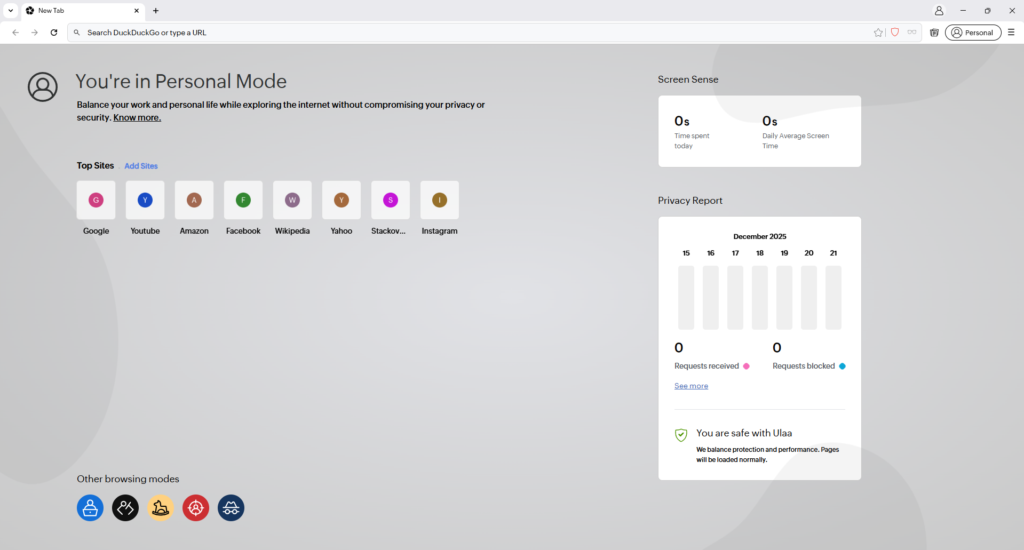
In the 2020s, as awareness of privacy and security issues grew, Zoho noticed that users were dissatisfied with browsers like Chrome, Edge, Opera, and Firefox because all of them, in one way or another, track user data and use it for their own purposes. To address this deficiency, Zoho’s CEO, Sridhar Vembu, made a bold decision: to create a browser based on a zero data collection policy. This decision was possible because Zoho doesn’t rely on advertising networks for revenue, unlike Chrome or Brave. Zoho’s revenue comes from its B2B software.
Ulaa Browser Features
The feature that sets the Ulaa Browser apart from the rest is its 5 distinct browsing modes (Personal, Work, Kids, Developer, Open Season), each maintaining completely separate cookies, cache, and data. This feature is unique to Ulaa and not found in any other browser. The Work Mode was specifically designed for Indian professionals, allowing users to share their tasks or projects with colleagues and collaborate seamlessly. This ensures that users’ personal browsing history remains completely secure. Zoho went a step further and incorporated Dynamic ID Switching into its browser, where the browser regularly resets the user’s device ID so that trackers and sensors cannot track and follow you for extended periods.
Ulaa browser garnered over 100,000 downloads in its first month, demonstrating its high popularity among Indian tech enthusiasts and communities. By October 2025, Ulaa had over 5 million active users, primarily located in India. Ulaa’s success stems from its approach of not attempting to “fix” surveillance capitalism like Chrome and Brave. It completely rejects data storage. The Ulaa browser has no third-party advertising networks, no crypto tokens, and no premium subscriptions. It is completely free and developed with user security as its top priority.
Ulaa offers a Data Sovereignty feature for Indian users. Ulaa stores all its Indian users’ data in encrypted form on servers located in India, not in the USA. This is in full compliance with India’s Digital Personal Data Protection Act (DPDPA). This means that when users save and sync their bookmarks, passwords, and history in the Ulaa browser, that data does not go to the USA, Europe, or any foreign server; it remains stored in India. This feature of the Ulaa browser is unique and not available in any other browser, and it demonstrates Zoho’s commitment to India.
In 2024-2025, Ulaa launched its Enterprise version, specifically designed for businesses. This updated version includes security features such as Data Loss Prevention (DLP), Policy Management, and Screen Capture Blocking. Ulaa Enterprise is rapidly gaining adoption among Indian companies, particularly government organizations and those in sensitive sectors.
📊 Ulaa vs Chrome Side-by-Side Comparison
| Feature | 🟠 Ulaa Browser | 🦁 Google Chrome |
|---|---|---|
| Origin & Company | ||
| Country | India | USA |
| Launch Year | 2023 | 2008 |
| Business Model | SaaS Funded | Ad Network |
| Privacy & Data | ||
| Data Collection | ❌ Zero | Extensive |
| Tracking Cookies | 🚫 Blocked | Allowed |
| Fingerprinting | 🚫 Blocked | Allowed |
| Ad Network | ❌ None | Google Ads |
| Dynamic ID Switching | ✅ Yes | ❌ No |
| Incognito Safety | 🔒 Safe | ⚠️ Not Safe |
| Data Breach Risk | 🟢 Zero | 🔴 Possible |
| Performance | ||
| Page Load Speed | 3.0 sec | 2.8 sec |
| RAM Usage (20 tabs) | 680 MB | 1.2 GB |
| CPU Usage | Low | Medium |
| Battery Life (2 hrs) | 112 mins | 92 mins |
| Old PC Compatibility | ⭐⭐⭐⭐⭐ | ⭐⭐⭐ |
| Complex Web Apps | ⭐⭐⭐⭐ | ⭐⭐⭐⭐⭐ |
| Unique Features | ||
| Browsing Modes | 5 Modes | 1 Default |
| Personal Mode | ✅ Yes | ❌ No |
| Work Mode | ✅ Yes | ❌ No |
| Kids Mode | ✅ Built-in | ❌ Extension Only |
| Developer Mode | ✅ JSON Viewer | Standard Tools |
| Extensions | Limited | Thousands |
| Ad Blocker | ✅ Built-in | ❌ Need Extension |
| Security | ||
| Malware Protection | ✅ Yes | ✅ Yes |
| Phishing Protection | ✅ Yes | ✅ Yes |
| HTTPS Auto-Upgrade | ✅ Yes | ✅ Yes |
| Sync & Data | ||
| Cross-Device Sync | ✅ Yes | ✅ Yes |
| Bookmark Sync | Encrypted | Encrypted |
| Password Sync | ✅ Yes | ✅ Yes |
| History Sync | Encrypted | Encrypted |
| Platform Support | ||
| Windows | ✅ Yes | ✅ Yes |
| macOS | ✅ Yes | ✅ Yes |
| Linux | ✅ Yes | ✅ Yes |
| Android | ✅ Yes | ✅ Yes |
| iOS | ✅ Yes | ✅ Yes |
| Enterprise Features | ||
| Enterprise Version | ✅ Available | ✅ Available |
| Policy Management | Centralized | Limited |
| DLP (Data Loss Prevention) | ✅ Built-in | ❌ None |
| Screen Capture Blocking | ✅ Yes | ❌ No |
| Admin Controls | Comprehensive | Limited |
| Pricing & Value | ||
| Base Price | Free | Free |
| Premium Version | Optional (VPN) | Optional (VPN) |
| Cost-Benefit | Excellent | Good |
| User Experience | ||
| Interface Design | Clean | Familiar |
| Learning Curve | Easy | Very Easy |
| Customization | Limited | Extensive |
| Special Features | ||
| Data Sovereignty | India Servers | US Servers |
| DPDPA Compliance | ✅ Yes | ❌ No |
| Zero-Trust Model | ✅ Yes | ❌ No |
📋 Quick Decision Matrix
| User Type | Best Choice | Rating | Why |
|---|---|---|---|
| Privacy Advocate | 🟠 Ulaa | ⭐⭐⭐⭐⭐ | Zero tracking |
| Google Heavy User | 🦁 Chrome | ⭐⭐⭐⭐⭐ | Perfect integration |
| Old PC Owner | 🟠 Ulaa | ⭐⭐⭐⭐⭐ | Low RAM usage |
| Power User/Dev | 🦁 Chrome | ⭐⭐⭐⭐ | More extensions |
| Indian User | 🟠 Ulaa | ⭐⭐⭐⭐⭐ | Local servers |
| Family/Kids | 🟠 Ulaa | ⭐⭐⭐⭐⭐ | Kids Mode |
| Business/Enterprise | 🟠 Ulaa | ⭐⭐⭐⭐⭐ | DLP features |
| Speed Focused | 🦁 Chrome | ⭐⭐⭐⭐⭐ | Fastest |
| Budget Conscious | 🟠 Ulaa | ⭐⭐⭐⭐⭐ | No premium |
| General Use | 🟰 Either | ⭐⭐⭐⭐ | Both good |
📝 Conclusion Summary
In the digital generation, browsers are no longer just about speed and a good user interface. They raise significant concerns about user privacy. Users need secure browsers that block all kinds of malware, trackers, sensors, fingerprinting, etc., and allow them to use the browser according to their preferences. Therefore, choosing a good browser is crucial. Both Chrome and Ulaa are excellent browsers, but they operate on completely different visions. Chrome believes, “We will track everything for you, provide fast services, and keep you within the Google ecosystem.” Ulaa, on the other hand, believes, “We will not collect your data.
You will be completely free, secure, and fast.” Chrome is still technically superior and faster, with numerous features and millions of extensions on the Chrome Store designed by developers for every possible task. However, this comes at the cost of users’ private information. Google’s decision in February 2025 to allow digital fingerprinting instead of cookies proved that tracking is everything for Google. Ulaa’s biggest advantage is that it doesn’t track anyone – neither Google nor any advertisers. If a website attempts to track, Ulaa immediately notifies the user via a pop-up that the website is tracking data in conjunction with Google and prompts them to block it.
Ulaa doesn’t have an advertising network like Google because Zoho’s revenue comes from its CRM, email, and other business software. Therefore, Ulaa doesn’t need user data. It offers 5 different browsing modes (Personal, Work, Kids, Developer, Open Season), Dynamic ID Switching, data storage on servers worldwide and in India, 44% less RAM usage, and many other features that Chrome lacks. However, Ulaa’s weakness is that it doesn’t yet have a large market share like Google. Chrome has thousands of extensions, and Ulaa has a limited number, but since Ulaa is a Chromium-based browser, all the extensions that work on Google Chrome will also work on Ulaa.